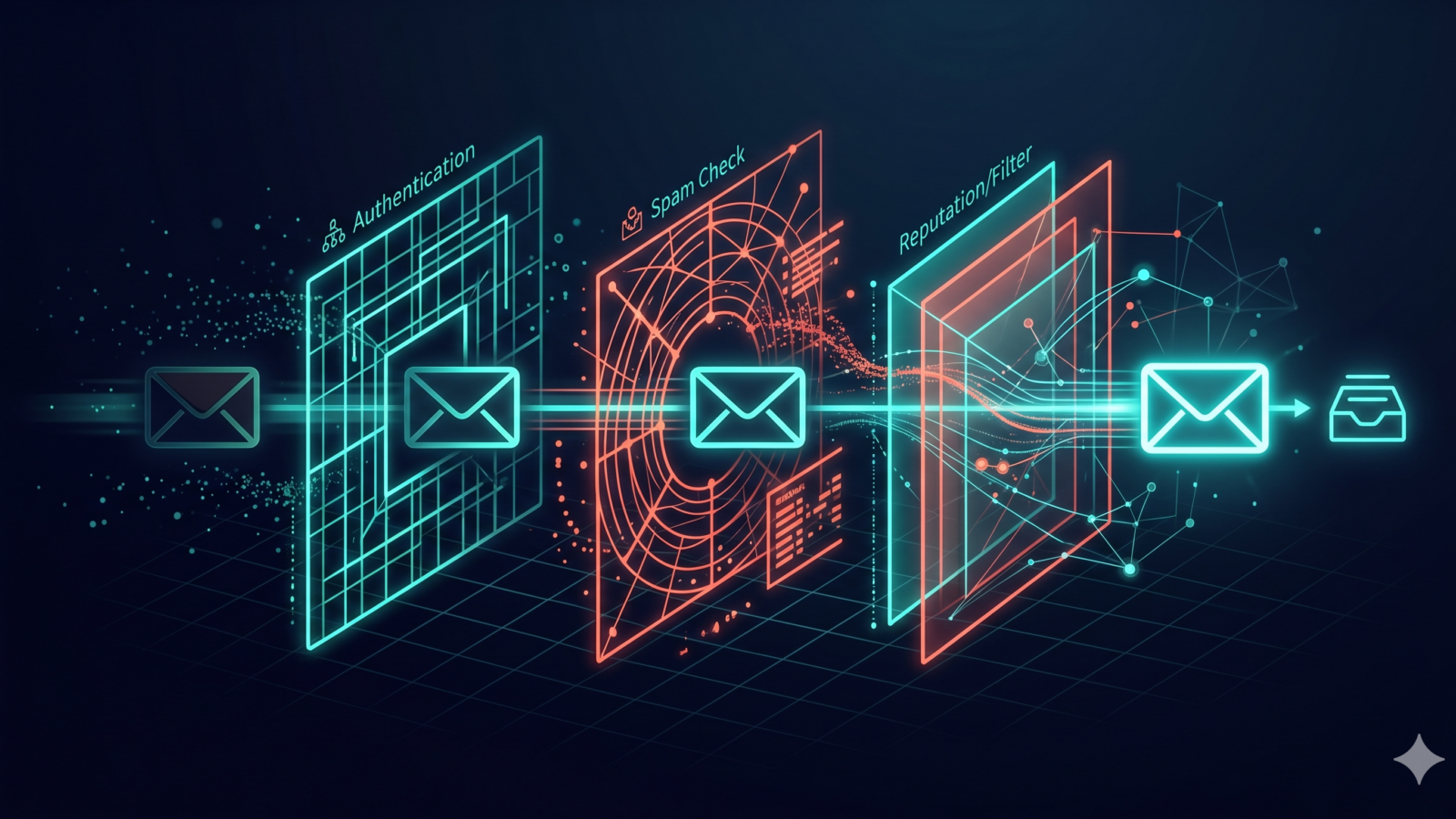
Your email campaigns might be beautifully designed and packed with value, but none of that matters if they never reach the inbox. That’s where an email deliverability checklist becomes essential. We’ve seen countless businesses lose revenue because their messages landed in spam folders instead of in front of their subscribers. The good news? Most deliverability issues are preventable when you understand the critical factors that inbox providers actually care about.
Email deliverability isn’t just a technical concern—it’s a business imperative. When your deliverability rate drops from 95% to 75%, you’re not just losing 20% of your messages. You’re losing 20% of potential conversions, customer touchpoints, and revenue. Our team has worked with dozens of clients to diagnose and fix deliverability problems, and we’ve identified 15 factors that consistently make the difference between inbox placement and spam folder obscurity.
Technical Authentication: Your Email Deliverability Foundation
Before inbox providers even look at your content, they verify your technical credentials. Think of email authentication protocols as your digital ID card—without proper identification, you won’t get past the door. The three authentication standards that form the backbone of modern email security are SPF, DKIM, and DMARC, and configuring all three correctly is non-negotiable for serious email marketers.
Sender Policy Framework (SPF) tells receiving servers which IP addresses are authorized to send emails on behalf of your domain. Your SPF record lives in your DNS settings and should include all legitimate sending sources. We regularly see businesses with incomplete SPF records that fail to include their email service provider or third-party tools, causing authentication failures for a portion of their sends.
DomainKeys Identified Mail (DKIM) adds a digital signature to your emails that proves they haven’t been tampered with in transit. This cryptographic authentication method gives receiving servers confidence that your message is genuine and unchanged. Setting up DKIM requires adding a public key to your DNS records while your email service provider holds the private key to sign outgoing messages.
Domain-based Message Authentication, Reporting, and Conformance (DMARC) builds on SPF and DKIM by telling receiving servers what to do when authentication fails. A properly configured DMARC policy not only protects your domain from spoofing but also provides valuable reporting data about who’s sending emails using your domain. Start with a monitoring policy (p=none) to collect data, then gradually move to quarantine or reject policies as you verify all legitimate sending sources are authenticated.
Building and Maintaining Your Email Reputation
Your email reputation functions like a credit score with inbox providers. Gmail, Outlook, Yahoo, and other major providers track both your domain reputation and your sending IP reputation to decide whether your emails deserve inbox placement. This reputation accumulates over time based on engagement metrics, complaint rates, spam trap hits, and bounce rates.
Domain reputation typically matters more than IP reputation for most businesses, especially if you’re using a shared sending infrastructure through an email service provider. Your domain reputation follows you regardless of which ESP you use or which IP addresses send your mail. That’s why protecting your domain reputation should be your top priority—it’s not something you can easily escape by switching providers.
Warming up new sending domains or IP addresses is crucial for establishing positive reputation. Inbox providers get suspicious when a new sender suddenly blasts out 50,000 emails. Instead, start with your most engaged subscribers and gradually increase sending volume over 2-4 weeks. We typically recommend starting with a few hundred emails to your best subscribers, then doubling the volume every few days while monitoring engagement and deliverability metrics.
Your sending consistency also impacts reputation. Sporadic sending patterns—like going silent for two months then suddenly sending a promotional blast—raise red flags. Maintaining a regular sending schedule helps inbox providers understand your typical patterns and builds trust over time. This doesn’t mean you need to email daily, but your frequency should be predictable and align with subscriber expectations set during signup.
List Hygiene Practices That Protect Deliverability
Your email list quality directly determines your deliverability outcomes. A massive list filled with inactive subscribers, spam traps, and invalid addresses will destroy your email inbox placement faster than almost any other factor. We’ve seen companies obsess over list size while ignoring list quality, then wonder why their deliverability tanks.
Implementing a confirmed opt-in (double opt-in) process is the single most effective way to ensure list quality from the start. Yes, you’ll lose some subscribers who don’t confirm, but those subscribers were unlikely to engage anyway. Confirmed opt-in dramatically reduces spam complaints, improves engagement rates, and keeps spam traps off your list. The short-term loss in list size delivers long-term gains in deliverability and ROI.
Regular list cleaning should happen quarterly at minimum, with more frequent cleaning if you send high volumes. Remove hard bounces immediately—there’s no reason to keep sending to addresses that definitely don’t exist. Identify subscribers who haven’t opened or clicked in 6-12 months and either re-engage them with a specific campaign or remove them from your active list. These inactive subscribers drag down your engagement metrics and signal to inbox providers that your list quality is poor.
Sunset policies for inactive subscribers protect your reputation while giving disengaged contacts a final chance to re-engage. Create a segment of subscribers inactive for your chosen timeframe, send them a re-engagement campaign clearly stating they’ll be removed if they don’t take action, then follow through. This approach respects subscriber preferences, maintains list quality, and often reactivates a small percentage of dormant contacts who genuinely want to hear from you.
How Does Email Content Affect Deliverability?
Email content and design elements significantly influence whether your messages reach the inbox or get filtered as spam. While content filtering has become more sophisticated, avoiding obvious spam triggers while creating engaging, valuable content remains essential for maintaining strong deliverability.
Your subject lines and preview text are the first elements spam filters evaluate. Avoid excessive punctuation (!!!!!), ALL CAPS, and spam trigger words like “FREE,” “GUARANTEED,” or “ACT NOW.” More importantly, your subject lines should accurately represent your email content. Misleading subject lines that trick people into opening might boost your open rates temporarily, but the resulting complaints and poor engagement will crush your long-term deliverability.
The text-to-image ratio in your emails matters more than many marketers realize. Emails with nothing but a single large image look exactly like spam to content filters. Aim for a healthy balance of text and images, typically at least 60% text to 40% images. Include meaningful alt text for all images—this helps with accessibility while providing context to email clients that block images by default.
Clean HTML code without excessive formatting or suspicious elements helps your emails pass technical scans. Avoid embedding forms directly in emails (inbox providers hate this), minimize the use of URL shorteners which obscure the true destination, and ensure all links use HTTPS rather than HTTP. Your email should render well across different email clients, which you can verify using testing tools before sending to your full list.
Personalization and relevance impact engagement, which in turn affects deliverability. Generic batch-and-blast emails perform worse than segmented, targeted messages. The more you can tailor content to subscriber preferences and behaviors, the better your engagement metrics will be. Strong engagement sends positive signals to inbox providers that subscribers value your emails, improving your email deliverability checklist results across the board.
Engagement Optimization and Subscriber Expectations
Inbox providers increasingly use engagement metrics as primary signals for inbox placement decisions. High open rates, click rates, and positive actions (like moving your email to a folder or marking it as important) tell Gmail and Outlook that subscribers want your content. Conversely, emails that consistently go unread or get deleted without opening signal that your messages might be unwanted.
Setting clear expectations during signup prevents disappointment and improves engagement later. Tell new subscribers exactly what they’ll receive, how often they’ll hear from you, and what value your emails provide. When someone signs up for a weekly newsletter but receives daily promotional emails instead, they’re likely to disengage or complain. Meeting the expectations you set creates a foundation for positive engagement throughout the subscriber lifecycle.
Your sending frequency should match subscriber preferences and your content quality. There’s no universal “right” frequency—B2B companies might thrive with weekly sends while e-commerce brands might send daily. The key is testing different frequencies with your specific audience while monitoring engagement and unsubscribe rates. We’ve helped clients discover their optimal frequency through systematic testing, sometimes finding that less frequent, higher-quality emails outperform frequent sends.
Making the unsubscribe process easy and obvious protects your deliverability. Hidden or complicated unsubscribe processes frustrate subscribers, leading them to mark your emails as spam instead. That spam complaint hurts your spam score far more than a clean unsubscribe would. Include a clear unsubscribe link in every email, process unsubscribe requests immediately, and consider offering alternative options like reducing frequency or changing email preferences.
Implementing a preference center gives subscribers control over their experience. Let them choose which types of emails they receive, how often they hear from you, and which topics interest them most. This approach reduces unsubscribes and complaints while improving engagement by ensuring subscribers only receive content they’ve explicitly expressed interest in receiving. Our retention and tracking services can help you build preference centers that keep subscribers engaged longer.
Bounce Management and Complaint Handling
How you handle bounces and complaints directly impacts your ability to improve email deliverability over time. Inbox providers watch how senders respond to these negative signals. Continuing to send to addresses that bounce or ignoring complaint feedback demonstrates poor list management and damages your reputation.
Hard bounces require immediate removal from your list. These permanent delivery failures occur when an email address doesn’t exist or the domain is invalid. Repeatedly sending to hard bounce addresses signals to inbox providers that you’re not maintaining your list properly or that you might be sending to purchased lists. Configure your email platform to automatically suppress hard bounces and never send to them again.
Soft bounces need monitoring and eventual action if they persist. These temporary failures happen for reasons like full mailboxes or temporary server issues. Most email service providers automatically retry soft bounces several times over a few days. If an address continues to soft bounce across multiple campaigns, treat it as effectively dead and remove it from your active list.
Spam complaints should trigger immediate suppression and analysis. When someone marks your email as spam, never send to that address again—it’s a clear signal they don’t want your emails. More importantly, analyze your complaint patterns. If you’re seeing complaint rates above 0.1% (one complaint per thousand emails), you have a serious problem that needs immediate attention. High complaint rates might stem from unclear unsubscribe processes, purchased lists, misleading subject lines, or content that doesn’t match subscriber expectations.
Feedback loops with major inbox providers help you identify complainers quickly. Gmail, Microsoft, Yahoo, and others offer feedback loop programs that notify you when recipients mark your emails as spam. Register for these programs and configure your ESP to automatically suppress complainers. This rapid response limits damage to your reputation and demonstrates responsible list management.
Monitoring Tools and Metrics for Ongoing Success
You can’t improve what you don’t measure. Implementing proper monitoring gives you early warning of deliverability problems before they severely impact your campaigns. The right metrics and tools help you spot trends, diagnose issues, and validate that your improvements are actually working.
Your core deliverability metrics should include delivery rate, inbox placement rate, open rate, click rate, bounce rate, and complaint rate. Delivery rate tells you what percentage of emails were accepted by receiving servers, but acceptance doesn’t guarantee inbox placement. Inbox placement rate—often measured through seed list testing—shows you what percentage actually reached the inbox versus spam or other folders.
Google Postmaster Tools provides invaluable data for Gmail deliverability specifically. This free tool shows your domain reputation, IP reputation, spam rate, and authentication results for emails sent to Gmail addresses. Since Gmail represents a massive portion of most email lists, monitoring your Postmaster metrics helps you catch problems early and verify that your authentication is working correctly.
Inbox placement testing through services like GlockApps, 250ok, or MailReach helps you understand how different inbox providers treat your emails. These tools send test emails to seed addresses across major providers and report back where your emails landed. Regular testing—especially before major campaigns or after significant list or content changes—gives you confidence in your deliverability before sending to your full list.
Blacklist monitoring alerts you if your sending domain or IP addresses appear on spam blacklists. While being listed on minor blacklists might not impact deliverability significantly, major blacklists can devastate your inbox placement. Tools like MXToolbox offer free blacklist checking, and most enterprise email platforms include blacklist monitoring as part of their service. If you do get blacklisted, act quickly to identify and fix the root cause, then request delisting through the appropriate channels.
Authentication report analysis through your DMARC reports reveals potential problems with your email infrastructure. These reports show you which messages passed or failed authentication and help you identify legitimate sending sources you might have missed in your SPF record. Regular DMARC report review is essential for maintaining proper authentication as your email ecosystem evolves.
Building Your Deliverability Action Plan
Improving email deliverability isn’t a one-time project—it’s an ongoing commitment to best practices, monitoring, and continuous optimization. The fifteen factors we’ve covered form a comprehensive email deliverability checklist that addresses technical authentication, reputation management, list quality, content optimization, engagement, and monitoring. Tackling all of these areas might seem overwhelming, but you don’t need to fix everything simultaneously.
Start with the technical foundations: verify that your SPF, DKIM, and DMARC are properly configured. These authentication protocols provide the security and trust signals that inbox providers require. Next, audit your list hygiene practices and implement confirmed opt-in if you haven’t already. Clean your list of obvious problems like hard bounces and long-term inactive subscribers. These two steps alone will typically deliver noticeable improvements in your inbox placement.
From there, focus on engagement optimization. Review your content strategy, sending frequency, and subscriber expectations. Test different approaches to see what resonates with your specific audience. Implement proper bounce and complaint handling processes to protect your reputation going forward. Finally, set up monitoring tools and establish a regular cadence for reviewing your deliverability metrics.
Email deliverability intersects with broader digital marketing strategy in ways that many businesses overlook. Your email campaigns support customer retention, drive conversions, and complement your paid advertising efforts. When deliverability suffers, the ripple effects impact your entire marketing ecosystem. That’s why we integrate email deliverability best practices into our comprehensive digital advertising strategies and retention optimization services.
Your business depends on email reaching the inbox. Whether you’re running e-commerce promotions, nurturing B2B leads, or maintaining customer relationships, poor deliverability directly impacts your bottom line. The good news is that improving deliverability is entirely within your control when you understand the factors that matter and commit to following best practices consistently.
If you’re struggling with email deliverability issues or want to ensure your campaigns reach maximum inbox placement, our team can help. We’ve diagnosed and resolved deliverability problems for businesses across industries, from small startups to established enterprises. Contact us to discuss your specific deliverability challenges and develop a customized action plan that gets your emails back in the inbox where they belong.