Google’s AI Overviews have fundamentally changed the search landscape, and with ads now appearing in roughly one out of every four AI Overview results, AI overview ads performance tracking has become critical for any business investing in paid search. Yet most marketing teams are flying blind—spending budget on this premium placement without proper attribution, conversion tracking, or ROI measurement in place. Our team has worked with dozens of clients to implement tracking frameworks specifically designed for AI Overview ad placements, and we’re sharing exactly how to measure what’s working and what’s burning your budget.
The challenge isn’t just that AI Overviews represent a new ad format. It’s that traditional tracking methods weren’t built for conversational, AI-generated content that sits above traditional search results. Your current conversion attribution is likely undercounting—or completely missing—the impact of your AI Overview ad spend, making optimization decisions nearly impossible.
Why Standard Tracking Fails for AI Overview Ads
When we audit client accounts running AI Overview ads, we consistently find the same problem: their existing Google Ads conversion tracking captures clicks and conversions, but it doesn’t differentiate between traditional search placements and AI Overview placements. This creates a fundamental attribution gap.
Standard Google Ads reporting lumps AI Overview ad clicks into your overall Search Network performance. You’ll see impressions, clicks, and conversions—but you won’t know which came from AI Overviews versus standard search results. This matters because AI Overview traffic typically behaves differently: users are further along in their research journey, having already consumed the AI-generated answer, which often leads to higher intent but different conversion patterns.
We worked with a B2B SaaS client spending $47,000 monthly on Google Ads who discovered their AI Overview placements were generating clicks at 3.2x the cost of standard search ads, but with a 40% lower conversion rate. Without proper tracking separation, they had been optimizing their entire campaign based on blended metrics that masked this performance gap. Once we implemented dedicated AI overview ads ROI tracking, they reallocated budget and improved overall campaign efficiency by 28%.
Setting Up Conversion API Tracking for AI Overview Placements
The foundation of accurate AI overview ads performance tracking starts with proper Conversion API implementation. While Google’s standard conversion tag will fire on AI Overview ad clicks, you need additional parameters to segment this traffic for analysis.
First, ensure you’re running the latest version of Google’s global site tag (gtag.js) or Google Tag Manager setup. The 2026 updates include better support for AI-generated placement tracking, but many sites are still running 2024-era implementations that lack these parameters. Within your Google Ads account, navigate to your conversion actions and verify that enhanced conversions are enabled—this provides the server-side data layer necessary for proper attribution when users interact with AI Overviews across devices or sessions.
Next, implement custom conversion tracking specifically for AI placements. In Google Ads, create duplicate conversion actions for your key goals (form submissions, purchases, demo requests), but configure these duplicates to track only when specific URL parameters are present. This parallel tracking structure lets you measure standard search and AI Overview performance independently without disrupting your existing setup. Our retention and tracking services team implements this architecture regularly, and it typically takes 2-3 hours for a standard account.
The technical implementation requires adding a custom dimension in Google Analytics 4 that captures the placement source. When an AI Overview ad click occurs, you’ll pass a parameter (we typically use ai_overview=true) that gets stored as a session-level dimension. This allows you to segment all downstream behavior—bounce rate, pages per session, conversion rate, revenue—by placement type. Without this dimension, you’re essentially running expensive experiments without measuring the results.
UTM Structure for AI Overview Click Attribution
Proper UTM parameter architecture is essential for tracking AI Overview ad performance across your analytics stack. The default Google Ads auto-tagging (gclid parameters) will track clicks, but won’t distinguish AI Overview placements from traditional search in your analytics reports without additional structure.
We recommend implementing a custom UTM naming convention specifically for AI Overview ads. At minimum, your URLs should include: utm_source=google, utm_medium=cpc_ai_overview, and utm_campaign=[your_campaign_name]_aio. The “_aio” suffix on campaign names makes filtering and reporting dramatically easier. For utm_content, include the ad variation identifier so you can test different messaging specifically for AI Overview contexts.
Here’s a real structure we implemented for an e-commerce client: utm_source=google&utm_medium=cpc_ai_overview&utm_campaign=spring_sale_2026_aio&utm_content=ad_var_3&utm_term=organic_gardening_supplies. This level of granularity enabled them to see that ads appearing in AI Overviews for informational queries (“how to start composting”) converted at 12% while product-focused queries (“buy compost bin”) converted at 31%—both significantly different from their 19% overall search ad conversion rate.
The challenge with UTM tracking for AI Overviews is that Google Ads’ URL options interface doesn’t natively support placement-specific parameters. You’ll need to work with your digital advertising team to implement this through the Google Ads API or by using ad customizers with IF functions that detect AI Overview placements. It’s technical, but it’s the only way to achieve true measurement separation.
One critical note: if you’re exporting campaign data to combine with CRM or sales data, you’ll need to handle multiple data formats. Rather than wrestling with complex Excel formulas or third-party tools that store your sensitive campaign data, use our free file converter to quickly transform CSV exports from Google Ads into JSON or other formats your analytics stack requires—all processed locally in your browser with zero data upload.
How Do You Measure ROI for AI Overview Ads Specifically?
To measure AI overview ads ROI accurately, you need to calculate cost per conversion and customer acquisition cost specifically for AI Overview placements, then compare those metrics against your other channels. The formula is straightforward: total spend on AI Overview ads divided by conversions attributed to those placements. However, getting accurate inputs for that calculation requires the tracking infrastructure we’ve outlined above.
Start by creating a custom report in Google Ads that filters for your AI Overview campaigns (using your naming convention with “_aio” suffixes). Pull total spend, clicks, conversions, and conversion value for a meaningful time period—we recommend at least 30 days to account for conversion lag. Then compare your AI Overview cost per conversion against your overall search campaigns and other channels. If your AI Overview CPA is within 20% of your other search ads, you’re likely seeing healthy performance. If it’s significantly higher, you need to either adjust bids, refine targeting, or reconsider the placement entirely.
Attribution Models That Actually Work for AI-Generated Placements
Standard last-click attribution systematically undervalues AI Overview ad performance because users often click AI Overview ads during research phases, then convert later through direct or branded search. We’ve found that data-driven attribution or even position-based attribution models provide much more accurate ROI pictures for AI Overview placements.
In Google Ads, switch your conversion attribution model to “Data-driven” if you have sufficient conversion volume (typically 300+ conversions per month). This model uses machine learning to assign partial credit to AI Overview touchpoints based on their actual influence on conversion probability. For accounts with lower volume, position-based attribution (giving 40% credit to first and last touch, 20% distributed among middle touches) better captures AI Overview’s role in the customer journey.
We recently analyzed three months of data for a professional services client and found that under last-click attribution, their AI Overview ads showed a $340 cost per lead. When we switched to data-driven attribution, the true cost per lead for AI Overview placements dropped to $280—still higher than standard search at $215, but within acceptable range given the qualified nature of the leads. The key was having Google AI Overview conversion tracking properly configured to feed accurate data into the attribution model.
Multi-touch attribution also reveals whether AI Overview ads work better for new customer acquisition versus existing customer expansion. Connect your Google Ads data with your CRM system (most modern CRMs offer native integrations or API connections) to track whether AI Overview ad clicks correlate with new versus returning customer conversions. This analysis often reveals that AI Overviews over-index for new customer acquisition—valuable insight for budget allocation decisions.
Building Dashboards for Ongoing Performance Monitoring
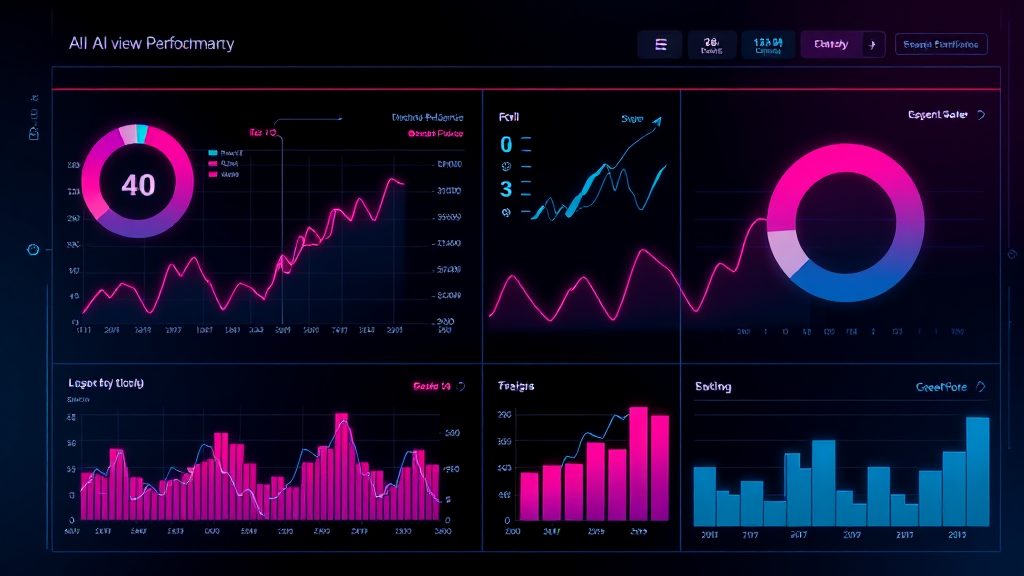
Once your tracking infrastructure is in place, you need dashboards that surface AI Overview ad performance without requiring manual report pulls. We build custom Looker Studio (formerly Data Studio) dashboards for clients that automatically segment AI Overview performance from overall search performance.
Your dashboard should include these core metrics in dedicated AI Overview sections: impressions and impression share (to understand how often your ads appear in AI Overviews), click-through rate (typically lower than standard search due to the prominence of the AI-generated answer), cost per click, conversion rate, cost per conversion, and return on ad spend. Include week-over-week and month-over-month trend charts so you can spot performance degradation quickly.
We also recommend adding comparison charts that show AI Overview metrics alongside your standard search and other channel metrics. This contextual comparison prevents the mistake of optimizing AI Overview ads in isolation—sometimes a higher CPA is acceptable if the channel drives incremental reach or reaches different customer segments. The visualization makes these strategic trade-offs obvious to your team and stakeholders.
Advanced implementations should include cohort analysis showing how customers acquired through AI Overview ads perform over time compared to other channels. Do they have higher lifetime value? Lower churn? Different product preferences? This analysis requires connecting your ad platform data with your CRM and product analytics, but it transforms AI Overview ads from a cost center to a strategic customer acquisition channel with measurable long-term value. Our AI and automation services can help implement these cross-platform data connections to enable sophisticated ROI analysis.
Optimization Tactics Based on Performance Data
With proper tracking in place, you can finally optimize AI Overview ad performance based on data rather than assumptions. The most impactful lever is bid adjustments—if your AI Overview placements consistently deliver conversions at an acceptable cost, increase bids specifically for queries likely to trigger AI Overviews (typically informational or question-based queries). Conversely, if performance lags, implement negative bid adjustments or exclude certain query types from AI Overview targeting.
Ad copy matters significantly more for AI Overview placements than traditional search ads. Users have already received an AI-generated answer to their query, so your ad needs to offer something complementary—a specific product, a unique perspective, an immediate action step. Test ad variations with strong calls-to-action and specific value propositions, then use your conversion tracking to identify winning variations. We’ve seen AI Overview ad CTR improve by 40-60% when copy specifically acknowledges the user has reviewed information and is ready for the next step.
Landing page experience also requires optimization specific to AI Overview traffic. Since users arrive with more context about their query (having read the AI Overview), your landing pages can skip basic education and dive directly into solutions or product details. Use your analytics to identify high-bounce AI Overview landing pages, then test variations that assume greater user knowledge. A financial services client reduced AI Overview traffic bounce rate from 61% to 38% by removing introductory content and leading with pricing and application options.
Putting AI Overview Ads Performance Tracking Into Practice
The reality of AI Overview ads in 2026 is that they represent significant budget for most paid search campaigns, yet most businesses are measuring performance with tools built for traditional search placements. The tracking gap means you’re likely either over-investing in underperforming AI placements or under-investing in high-performing ones—both scenarios waste budget and opportunity.
Implementing proper AI overview ads performance tracking doesn’t require a complete rebuild of your measurement stack. Start with the UTM structure to segment traffic in your analytics, then layer in conversion tracking separation, and finally build dashboards that surface the data for regular optimization. Each step delivers immediate value even before the full implementation is complete.
Your business needs clarity on whether AI Overview ads deliver profitable returns, and that clarity only comes from measurement infrastructure purpose-built for this placement type. If your team lacks the technical resources or analytics expertise to implement these tracking frameworks, our team has built these systems dozens of times and can typically deploy complete solutions in 1-2 weeks. We’d welcome the chance to audit your current setup and show you exactly what’s missing in your AI Overview ad measurement—reach out to start the conversation.